Service Manager can automatically create copies of your invoices in Xero. Ensure you have entered your Xero settings see How to: Integrate with Xero
To export invoices to Xero
- From the home page , choose Invoices
-
Choose the Invoice Run tab
-
Find and select the correct invoice run by using the search window
-
Choose the Post tab

-
You can now post individual invoices by clicking the Post link or right clicking on an invoice
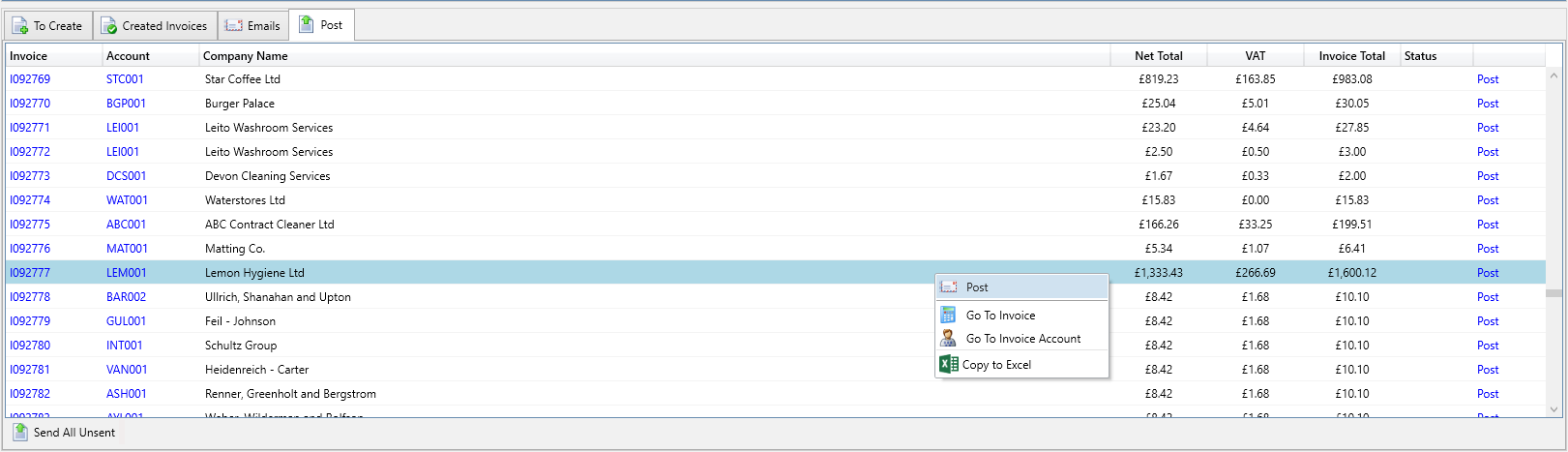
- Or you can post all invoices by clicking on Send All Unsent
- If the post was successful the Status is updated to Ok, if there is an error the Status field will say Failed. You can clicked on the Failed link to see any errors for that invoice. You should correct the error and then try posting the invoice again.
See Also